
Close Menu
Be Real InfoBe Real Info

    Subscribe to Updates

    Get the latest creative news from FooBar about art, design and business.

    What's Hot

    How frequently to replace parts of CPAP machine?

    9 August 2026

    When Should You Choose Water Excavation Brisbane Over Mechanical Digging?

    6 August 2026

    Factors to Consider Before Choosing a Residency by Investment Program

    6 August 2026
    Facebook X (Twitter) Instagram
    Facebook X (Twitter) Instagram
    Be Real InfoBe Real Info
    Button
    • Home
    • News
    • Blog

      Behind the Line: How Bookmakers and Markets Set Odds

      12 July 2026

      Should You Buy All Your Solar Equipment from One Manufacturer?

      8 July 2026

      Beyond the Bank Account: How E-Money and Prepaid Products Widen Financial Access

      3 July 2026

      Why the Casing Is the Most Underrated Decision in Sausage Making

      31 May 2026

      Choosing the Right Approach for Bulk Excavation Brisbane

      30 April 2026
    • Business
    • Fashion & Lifestyle
    • Health
    • Technology
    • Travel
    Be Real InfoBe Real Info
    You are at:Home»News»Tips for Teaching Ageing Adults How to Use Technology
    News

    Tips for Teaching Ageing Adults How to Use Technology

    WashimBy Washim31 May 2024No Comments3 Mins Read
    Facebook Twitter Pinterest LinkedIn Tumblr Email
    Share
    Facebook Twitter Pinterest WhatsApp Email

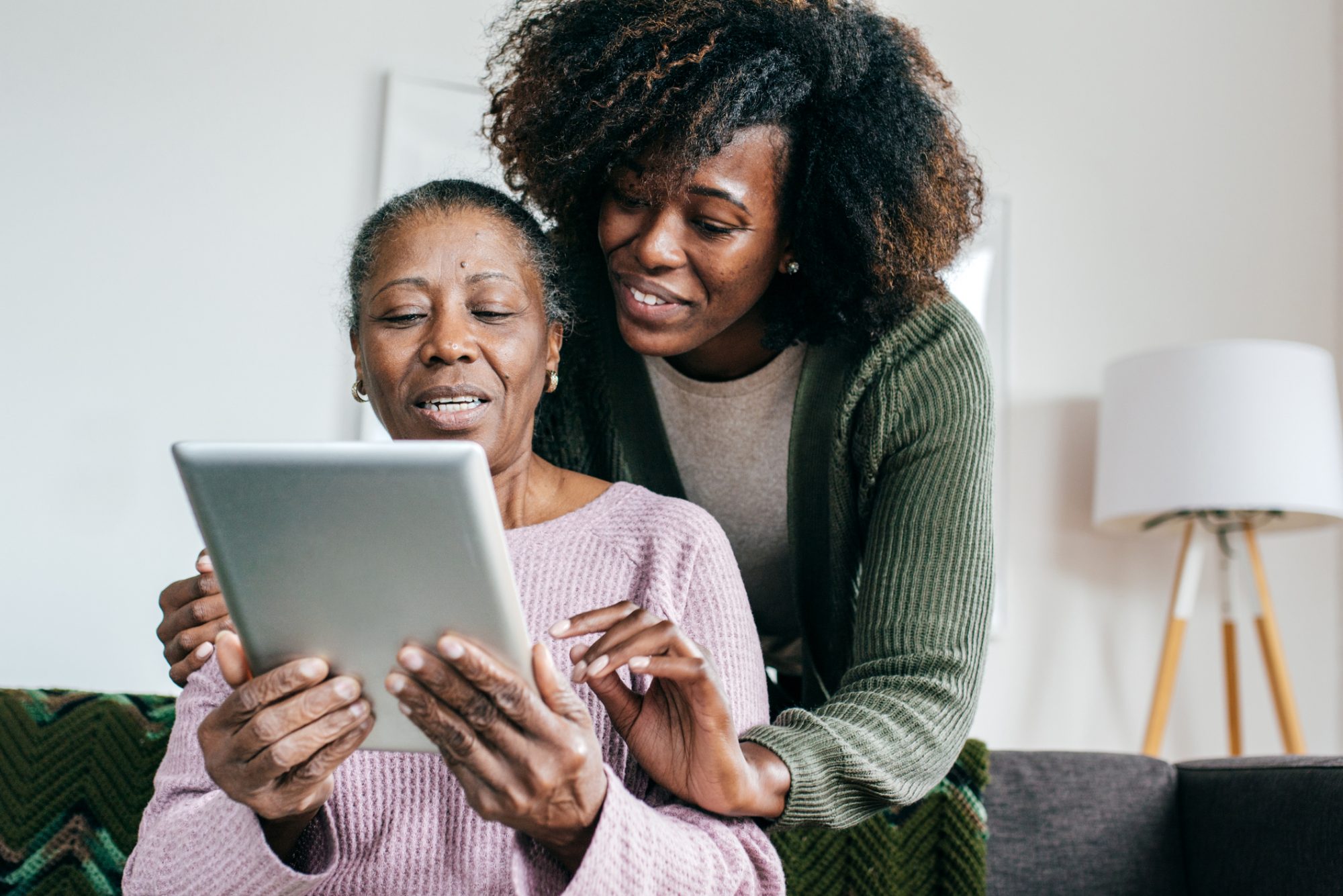
    In our digital age, technology can significantly influence our lives. Most aging adults aren’t aware of how to utilize technology. Teaching them how to use technology will keep them connected.

    Many seniors may find it challenging to learn how to use new applications. Under a Level 3 Aged Care Package, professional caregivers can offer in-depth technology lessons. Here are some effective tips for teaching aging adults how to navigate technology.

    Start with Familiar Concepts

    When introducing new technology, begin with concepts that are familiar to them. If your parent has some prior experience, build on that knowledge. For example, if they know how to send an email, you can relate this to sending text messages. 

    Explain that texting involves typing a message just like an email. Message will sent to a phone number instead of an email address. By drawing parallels, you make new technologies less frightening.

    Highlight the Benefits

    Seniors may be more motivated to learn technology if they understand the benefits. Explain how staying connected via social media. It can help them keep in touch with family and friends.

    Show them how video calls can bring live interactions right into their living room. Additionally, discuss how technology can simplify daily tasks. This may include setting reminders for medications, ordering groceries online, etc. 

    Ensure Safe Internet Practices

    It is crucial to teach safe internet practices. Explain the importance of strong passwords and recognizing phishing scams. Tell them to avoid suspicious links. 

    Discuss the potential risks, such as scams targeting seniors. Provide clear instructions on how to navigate safely online. By addressing these concerns, you help protect them from potential dangers. 

    Take it Slow and Be Patient.

    You should be more patient when teaching seniors to use technology. Break down each lesson into small and manageable steps. Go at a pace that suits them. Avoid dumping them with too much information at once. 

    Repeat key points and encourage them to ask questions. For instance, when teaching them to use a smartphone, start with basic functions like making calls and sending texts. Then, move on to more complex features.

    Use Visual Aids and Written Instructions

    Visual aids can be incredibly helpful in teaching technology. Show them screenshots and use a second device to demonstrate the steps. Written instructions can also be valuable. 

    Give them a procedure guide they can refer to whenever they need a reminder. These resources can help reinforce what they have learned. It also gives them the confidence to practice on their own.

    Practice Regularly

    In a Level 2 Aged Care Package, seniors receive support for basic technology lessons only. Encourage regular practice to help them become more comfortable with technology. Set aside time each day to use their new devices. 

    Practice helps reinforce their learning and makes using technology a habit. Be present to guide them through any difficulties. It also gives them space to explore and solve problems independently.

    Have a Positive Attitude

    Encourage your loved one. Celebrating their progress, no matter how small it is. Remind them that it is normal to make mistakes. Your encouragement can boost their confidence and make the learning process more enjoyable.

    Final thoughts

    Teaching aging adults how to use technology requires patience and clear instruction. Follow the mentioned practice to help seniors grip technology confidently. This will improve their quality of life and keep them connected to the world.  


    Washim

    Related Posts

    How frequently to replace parts of CPAP machine?

    By Olivia9 August 2026

    When Should You Choose Water Excavation Brisbane Over Mechanical Digging?

    By Olivia6 August 2026

    Using Color Effectively in Your Commercial Interior Design

    By Olivia5 August 2026

    7 Smartest Ways Travelers Are Using eSIM Cards in 2026 (And Why You Should Too)

    By Olivia8 April 2026
    Add A Comment
    Leave A Reply Cancel Reply

    You must be logged in to post a comment.

    Latest Posts

    How frequently to replace parts of CPAP machine?

    By Olivia9 August 2026

    The fact that a CPAP machine will be used every night will imply that certain…

    When Should You Choose Water Excavation Brisbane Over Mechanical Digging?

    6 August 2026

    Factors to Consider Before Choosing a Residency by Investment Program

    6 August 2026

    Using Color Effectively in Your Commercial Interior Design

    5 August 2026

    Behind the Line: How Bookmakers and Markets Set Odds

    12 July 2026
    Categories
    • All
    • Bio
    • Blog
    • Business
    • Education
    • Fashion & Lifestyle
    • Health
    • Home
    • News
    • Others
    • Technology
    • Tips
    • Travel
    Don't Miss

    How Clinics Use Software to Improve Patient Communication

    By Olivia8 July 2026

    Should You Buy All Your Solar Equipment from One Manufacturer?

    By Olivia8 July 2026

    Beyond the Bank Account: How E-Money and Prepaid Products Widen Financial Access

    By Olivia3 July 2026

    Everything You Need to Know About Taps, Showers & Sanitary Ware

    By Olivia1 July 2026
    Stay In Touch
    • Facebook
    • Twitter
    • Instagram
    • LinkedIn
    • WhatsApp
    • Pinterest
    Latest Posts

    How Clinics Use Software to Improve Patient Communication

    8 July 2026

    Should You Buy All Your Solar Equipment from One Manufacturer?

    8 July 2026

    Beyond the Bank Account: How E-Money and Prepaid Products Widen Financial Access

    3 July 2026
    About Us
    About Us

    Be Real Info provides all the necessary information. We always try our best to give you the latest information. If you have any doubt or queries regarding websites or any form of information related, please feel free to mail us.
    |
    Email: [email protected]
    |
    To write an sponsored post/guest post or to want your start up to get listed on our website, email us.
    |
    Thank you for understanding.

    Facebook Instagram LinkedIn WhatsApp
    Top Posts

    How frequently to replace parts of CPAP machine?

    9 August 2026

    When Should You Choose Water Excavation Brisbane Over Mechanical Digging?

    6 August 2026

    Factors to Consider Before Choosing a Residency by Investment Program

    6 August 2026
    Facebook X (Twitter) Instagram Pinterest TikTok
    • Home
    • Privacy Policy
    • Contact us
    © 2026 Be Real Info - All Rights Reserved

    Type above and press Enter to search. Press Esc to cancel.